Bridging the Gap Between Video Intelligence and Creative Workflow: The Introduction of the Mux Robots Adobe Premiere Pro Plugin

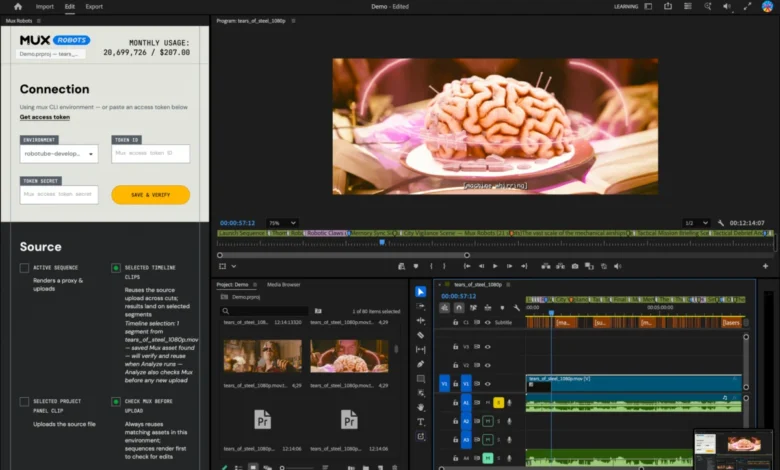
The intersection of artificial intelligence and professional video editing reached a new milestone recently following the official release of the Mux Robots extension for Adobe Premiere Pro. Designed to streamline post-production workflows by bridging the gap between automated data outputs and timeline editing, the new plugin eliminates hours of manual tagging, translating, and captioning. Born out of a practical production challenge faced during the late-July Laracon community dodgeball tournament, the tool represents a significant shift in how video intelligence applications integrate directly into the daily environments of professional editors.
The Laracon Genesis: Solving a Real-World Production Bottleneck
The development of the Premiere Pro plugin began during the annual Laracon conference, where developers, engineers, and members of the Laravel community gathered. As part of its sponsorship, the video infrastructure platform Mux undertook the task of livestreaming the community dodgeball tournament. Following the event, the raw recording was handed over to the company’s video editing team with a clear assignment: cut a compelling, fast-paced highlight reel capturing the most exciting plays of each game.
To accelerate the process, the production team utilized the existing Mux Robots Find Key Moments workflow. While this automated video intelligence system successfully analyzed the footage and returned a detailed JSON output complete with exact timestamps, it presented a logistical roadblock for the human editor, Tim. Although the API response contained all the necessary data points, the editor was still forced to manually cross-reference the JSON file and drop markers by hand onto the Adobe Premiere Pro timeline.
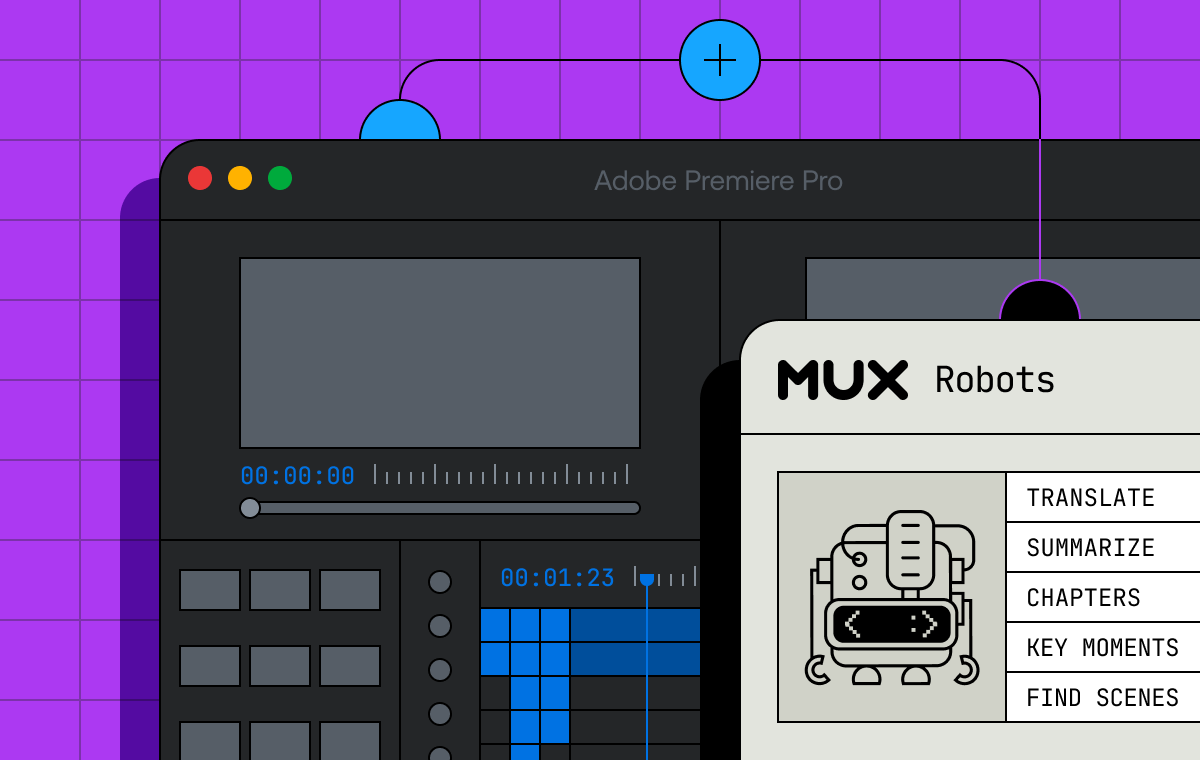
This disconnect between developer-focused data structures and creative editing software highlighted a broader inefficiency in modern post-production. Recognizing that raw JSON outputs do little to assist an editor working inside a non-linear editing (NLE) system, the engineering team set out to build a native bridge. The result was the Mux Robots Adobe Premiere Pro plugin, engineered to translate automated API metadata directly into actionable timeline assets, chapter markers, translated audio tracks, and synchronized captions.
Understanding the Mechanism: How Video Intelligence Meets the Timeline
For professional video editors, the timeline serves as the single source of truth. Every cut, audio adjustment, transition, and overlay is meticulously mapped against the master timeline. By tapping into Adobe’s robust Creative Cloud developer ecosystem, the Mux Robots plugin was designed to inject automated metadata precisely where editors need it most.
The plugin relies on Mux Robots workflows, such as Generate Chapters and Find Key Moments, and integrates them through intuitive visual markers. For instance, when running the Generate Chapters workflow, the API typically returns a structured JSON payload containing the start times and titles of distinct sections within a video file. Traditionally, an editor would read this data and manually create markers in Premiere Pro. With the new plugin, this entire sequence is automated.
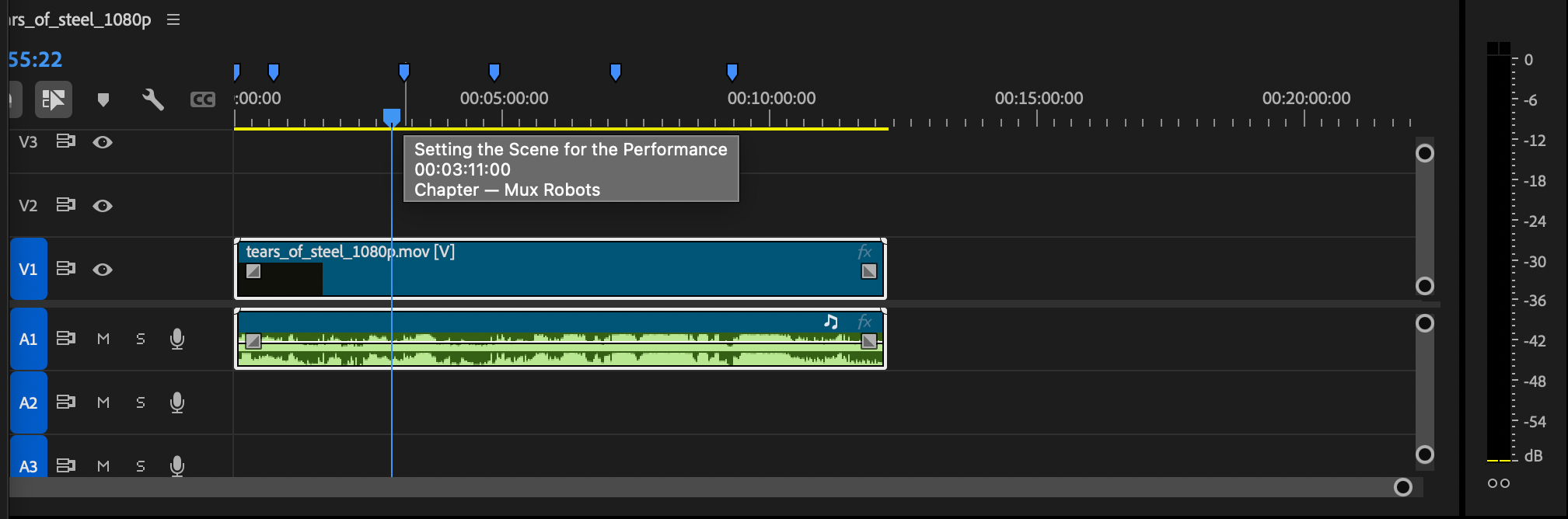
Once executed, the plugin populates the Premiere Pro timeline with color-coded markers. Blue markers indicate automatically generated chapters, providing a clear structural overview of long-form content. Meanwhile, purple markers denote key moments identified by the AI detection algorithms. Editors can simply hover over these markers to reveal specific details extracted from the job output, allowing them to instantly jump to high-impact segments, interviews, or pivotal action sequences without scrubbing through hours of raw footage.
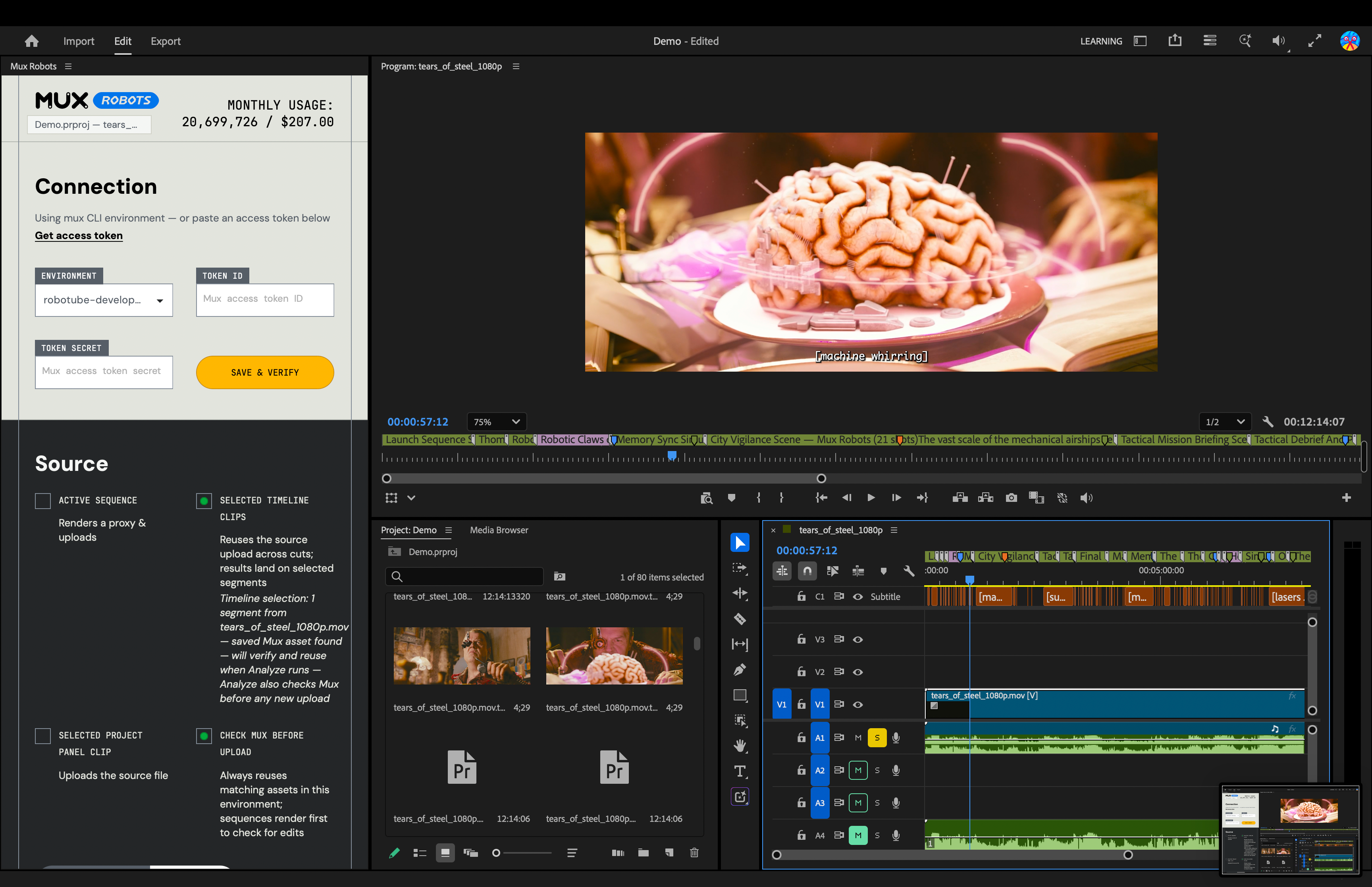
Furthermore, the plugin leverages Mux Robots Directives, an architectural feature that allows developers to chain multiple workflows into a single API call. In a standard editing scenario, generating accurate chapters and key moments often depends on having a clean, verified transcript first. Through Directives, a user can initiate a sequence—such as running Generate Premium Captions, followed automatically by Find Key Moments and Generate Chapters—all through a single user action within the Premiere Pro interface. This eliminates the need to execute separate asynchronous jobs and manually aggregate their results.
Global Localization at Scale: Automated Dubbing and Captions
Beyond timeline navigation and highlight curation, the Mux Robots plugin addresses one of the most resource-intensive aspects of modern video production: content localization. Expanding a video’s reach to international audiences traditionally requires separate contracts with translation agencies, voiceover talent, and subtitling specialists, a process that can take weeks and significantly inflate production budgets.
The new plugin integrates audio dubbing and multilingual translation directly into the Adobe ecosystem. Editors can select their target languages directly from the plugin interface, prompting Mux Robots to generate translated audio tracks and place them directly onto the Premiere Pro timeline. Caption tracks are handled with similar efficiency, routed directly into Premiere Pro’s Media Browser where they can be dragged and dropped into projects as required.
By supporting a wide array of languages, the tool shifts localization from a post-production afterthought to an on-the-fly capability. Content creators and corporate media teams can now produce localized assets simultaneously with their primary edits, drastically reducing time-to-market for global campaigns.
Industry Implications and the Future of AI-Assisted Editing
The release of the Mux Robots plugin arrives at a time when the media and entertainment industry is rapidly adopting artificial intelligence to handle repetitive, low-level tasks. While initial industry reactions to automated video tools often sparked fears of job displacement, tools like the Mux Robots extension validate a different philosophy: human-in-the-loop augmentation.
Rather than attempting to replace human editors, the plugin removes the tedious administrative burden of manual transcription, timestamp matching, and marker placement. By delegating data-heavy organization to automated systems, professional editors can redirect their energy toward narrative structure, pacing, creative color grading, and emotional resonance.
Industry analysts note that as video volumes continue to scale exponentially—driven by corporate virtual events, user-generated content, and continuous livestreaming—the ability to bridge cloud-based AI pipelines with local desktop editing environments will become a competitive necessity. Software ecosystems that minimize friction between developer APIs and creative suites are expected to capture significant market share among modern production houses.
Availability and Getting Started
The Mux Robots plugin for Adobe Premiere Pro is currently available to the public and can be installed directly through the Adobe Creative Cloud Stock and Marketplace. Integration requires no complex licensing hurdles; users can download the extension, authenticate it using their Mux Token ID and secret, and immediately begin processing projects within Premiere Pro.

Demonstrating a developer-friendly adoption model, Mux has made the plugin available without requiring upfront payment information or credit card details to get started. As video infrastructure continues to merge with creative software, this release sets a new benchmark for how automated video intelligence can be seamlessly woven into the professional editing workflow.